




Laptop Network Settings
| 1. Right click on "My Network Places" --> Select "Properties" | |
 | |
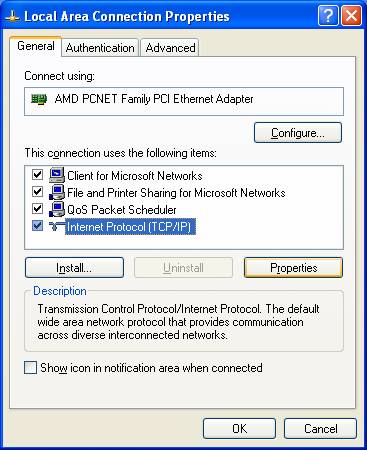
| 2. Select "Local LAN Connection"--> Select "Properties" | |
 | |
| 3. Select "Internet Protocol (TCP/IP) --> Select "Properties" | |
 | |
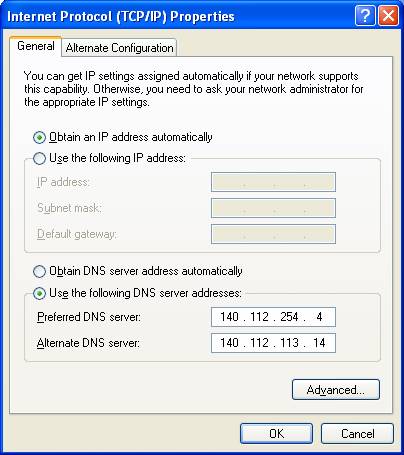
| 4. Select "Obtain an IP address automatically" --> Select "Use the following DNS server addresses Click "OK" to finish | |
 |


