



Study carrel borrowing service
NTU Library Space Management System : https://sms.lib.ntu.edu.tw/#/login
Eligibility
- full time teachers, research fellows, postdoctoral fellows and Ph.D. students
Note
- Reservation
You can book either a multi-day or a single-day study carrel reservation within the next 6 months. However, each reader only could hold one active reservation at a time (including currently in-use reservation). - Booking Period
- Multi-day Reservation
- Minimum 7 days, maximum 30 days,
- Excluding library closed days
- Cross-month reservations are allowed.
- Single-day Reservation: One day.
- Multi-day Reservation
- Check-in
- Tap your NTU ID card at the check-in computer within the time limit. Reservations will be cancelled for late check in.
- Multi-day Reservation
within the first two days of borrowing period. - Single-day Reservation: on the reserved date.
- Multi-day Reservation
- After checking in, you may tap your NTU ID card on the access card reader located on the wall beside the door of the study carrel to enter the room.
- Tap your NTU ID card at the check-in computer within the time limit. Reservations will be cancelled for late check in.
- Check-out
- Take out your personal belongings before checking out.
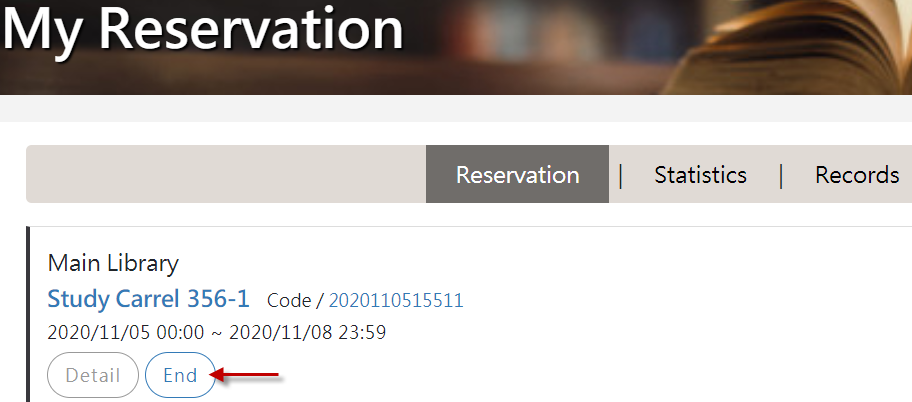
- Click “End” in the system.
- Renew
- Multi-day Reservation
For the multi-day reservation, if there are no subsequent reservations, you could renew your reservation online within 3 days before the end of the current borrowing period. - Single-day Reservation: Cannot be renewed.
- Multi-day Reservation
- Usage Requirement for Multi-day Study Carrels
- The number of days the room is used (based on access card records) must reach at least half of the borrowing period (excluding library closed days).
- If the requirement is not met, your study carrel booking privilege will be suspended for three months.
- If you check out earlier than scheduled date, please make sure to click “End” in the system. Otherwise, the usage rate will continue to be calculated until the original end date, which may result in the usage rate falling below one-half.
- Room Cleaning
If the reservation period includes the 2nd day of the month, you can decide whether to have the room to be cleaned.- If you select “Yes”:
- Your reserved study carrel will be added to the cleaning list. Whether it is actually cleaned will depend on the number of study carrels scheduled for cleaning that month.
- If many rooms are scheduled for cleaning that month, rooms will be selected based on each room’s cleaning frequency.
- One week before cleaning, a cleaning notice will be posted on the room scheduled for cleaning. Please clear your personal belongings to allow cleaning staff to clean on the 2nd day of the month.
- If “No” is selected:
The room will not be included in the cleaning list.
- If you select “Yes”:
- Please refer to the <Directives Governing Study Carrel Reservations and Usage> for further details.
How to Make a Request
Step 1. Reservation
- Log in to the system: https://sms.lib.ntu.edu.tw/#/login
- Login with your NTU account

- Multi-day Reservation
- Click study carrel 「reserve」

- choose the reserve mode - by time or by room

- By tme : select the start and end date.

- choose the room
- Number of rooms available for reservation on each floor during the borrowing period are displayed.
- By selecting a floor, you can view the reservation status of the study carrels on that floor.
- You can refer to the floor plan for the locations of study carrels and select the room you wish to reserve.
- By tme : select the start and end date.
- Room cleaning
- The cleaning request is shown if the borrowing period includes the 2nd of each month.
- If cleaning is requested, the room will be listed on the cleaning list. However, rooms listed on the cleaning list are not guaranteed to be cleaned.

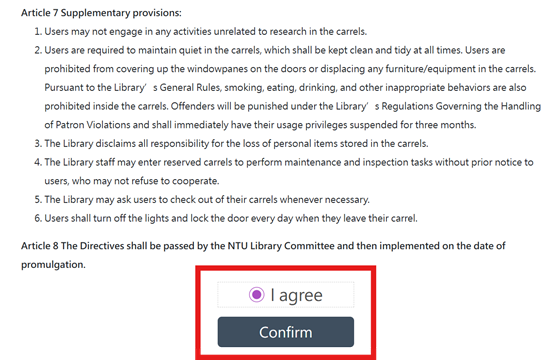
- Main library study carrel instructions.
- Click「I agree 」to show the「confirm」button.
- Click「confirm」to next step.
- Complete
Click "OK" to complete the reservation and return to the personal record page
- Click study carrel 「reserve」
- Single-day reservation
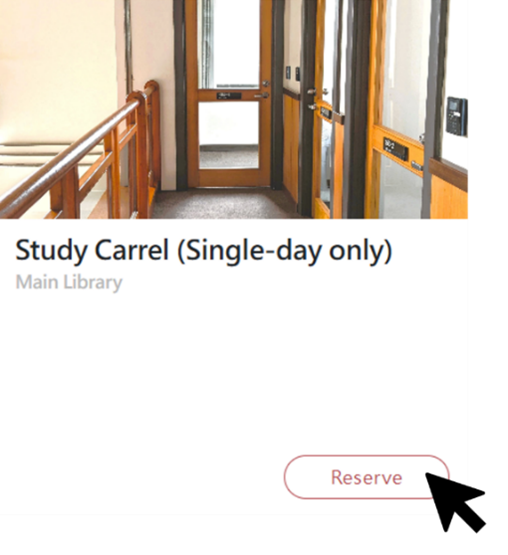
- Click study carrel(Single-day only) 「Reserve」
- Select booking date and room
- By selecting a floor, you can view the reservation status of the study carrels on that floor. Blank spaces are available dates.
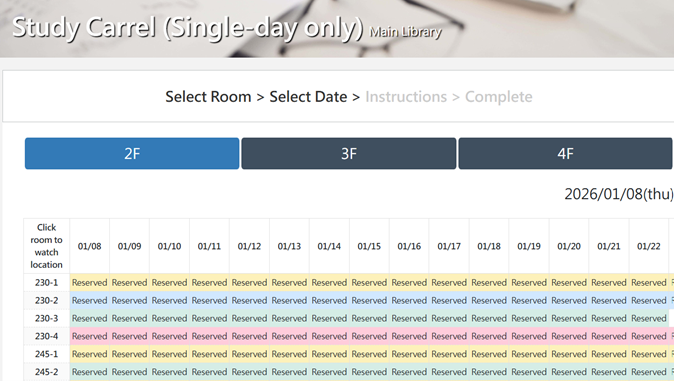
- Click on the room number to view the room location.
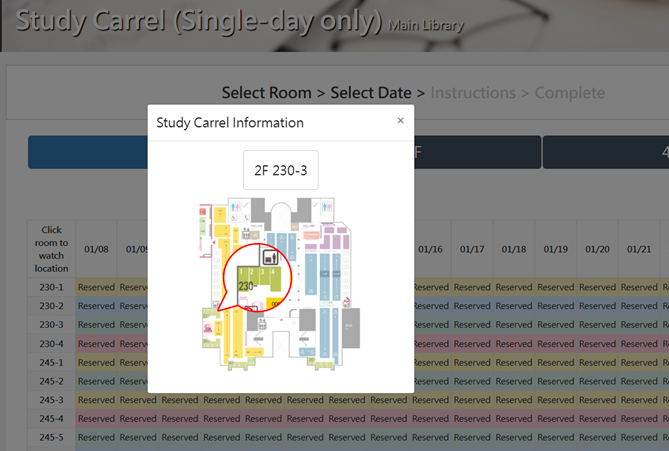
- Click on a date to make a reservation.
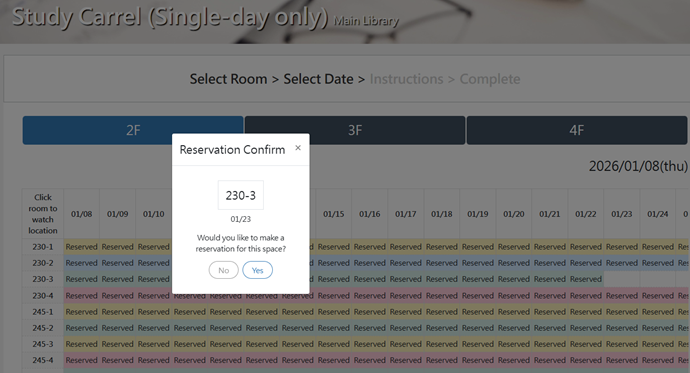
- By selecting a floor, you can view the reservation status of the study carrels on that floor. Blank spaces are available dates.
- Room Cleaning
- The cleaning request is shown if the borrowing period includes the 2nd of each month.
- Your reserved study carrel will be added to the cleaning list. Whether it is actually cleaned will depend on the number of study carrels scheduled for cleaning that month.
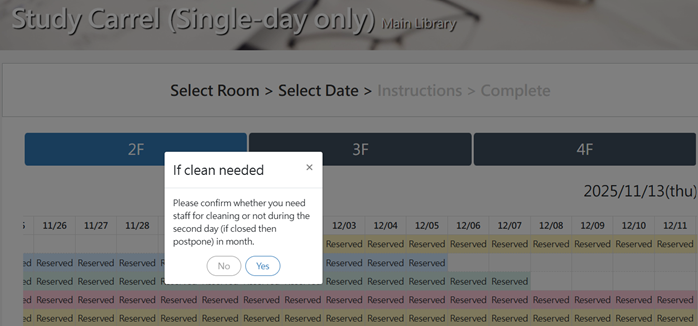
- Main library study carrel instructions.
- Click「I agree 」to show the「confirm」button.
- Click「confirm」to next step.
- Complete
Click "OK" to complete the reservation and return to the personal record page.
- Click study carrel(Single-day only) 「Reserve」
- My Reservation
In「My Reservation」-「Reservation」, you can cancel or modify your reservation here.

Step 2. Check in
- Please go to check-in machine to tap your NTU ID card within the valid check-in time limit. Reservations will be cancelled for late check-in.
- Multi-day Reservation: within the first two days of borrowing period.
- Single-day Reservation: On the reserved date.
- Check-in machine
- 1st floor: in front of the counter
- 2nd,3rd, and 4th floor: at the right-side counter of entry on each floor.

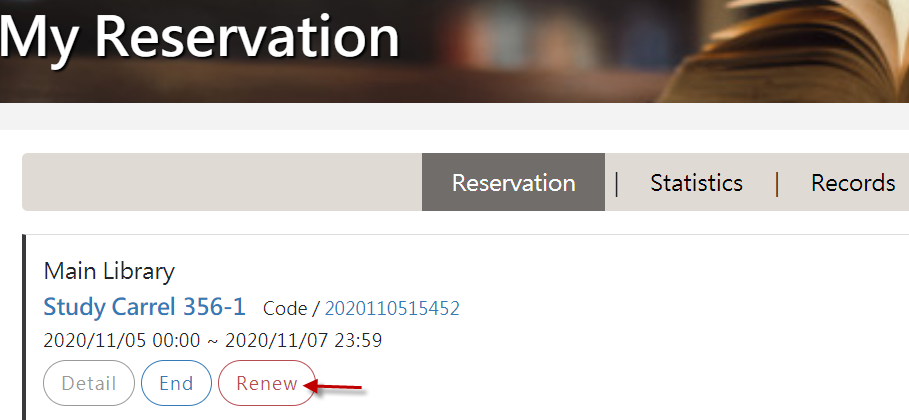
Step 3. Renew
Single-day reservation cannot be renewed. For multi-day reservations, if there is no reservation of the carrel after your time slot, you can renew your booking online three days before the end of the of the current borrowing period.
Step 4. Check out
- Before checking out, please take out your personal belongings.
- If checking out earlier than scheduled, you must click <End> in the system to avoid affecting the calculation of usage rate.